Sign a PDF. Keep the file on your device.
Guide by FreeSignature · Updated October 9, 2026
Open the free editor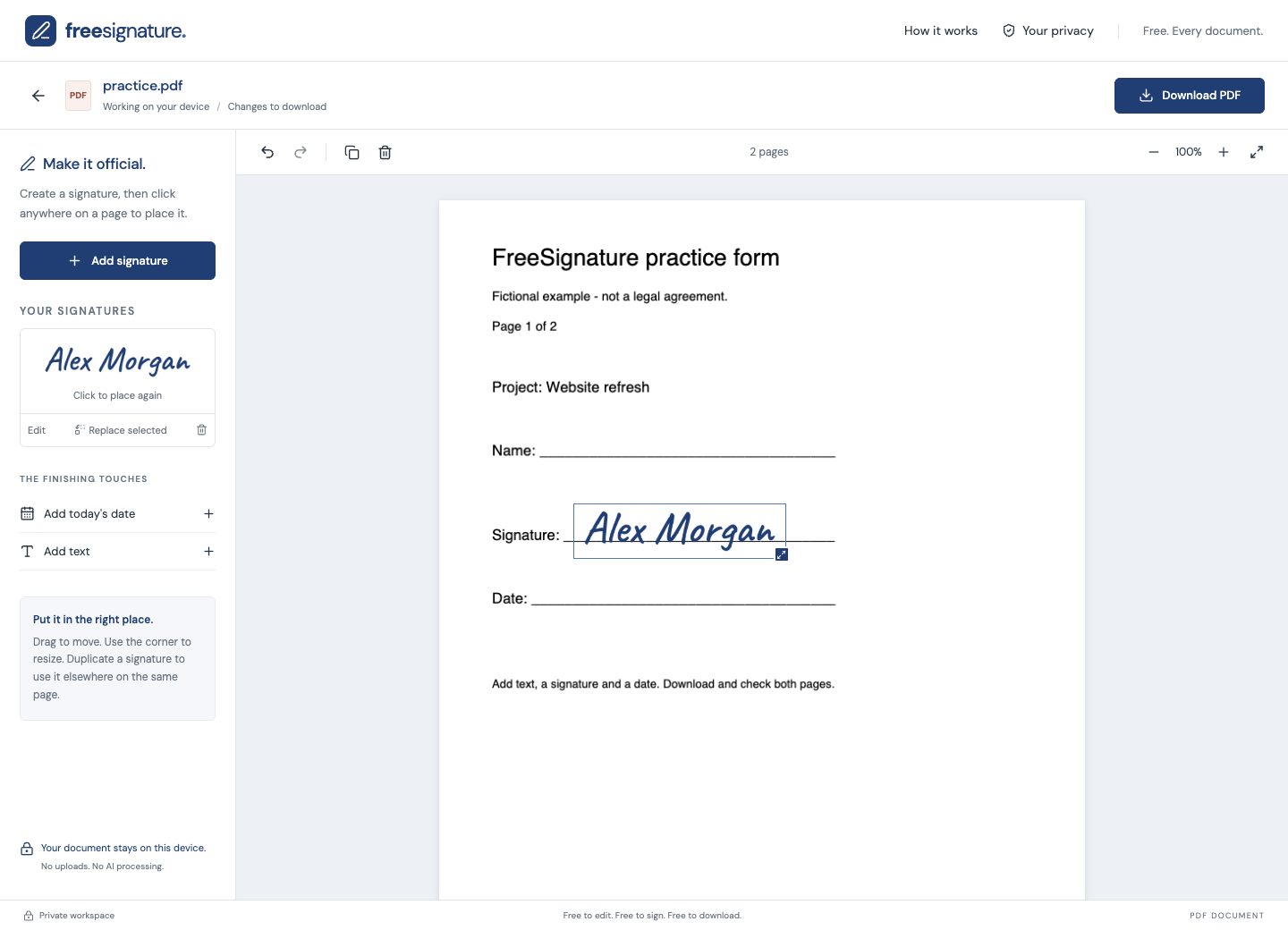
What does the PDF signer do?
FreeSignature adds visible signatures, text and dates on top of PDF pages. You can place items on multiple pages, move them into position, and download the finished PDF for free. Document processing happens in your browser, without uploading the PDF to our servers.
How to sign a PDF
- Open the free editor and choose a PDF up to 25 MB.
- Create a signature by drawing, typing, or uploading a signature image.
- Place the signature on the page, then move and resize it to fit the signature line.
- Add text or a date where needed. Go to the other pages and reuse your signature.
- Download the PDF and open the saved copy to check every signed page.
Can I edit the original PDF text?
No. The PDF tools add new items over the page; they do not rewrite its existing text. FreeSignature does not provide OCR or secure redaction. Covering text with an added item does not remove the information underneath.
Are there limits or watermarks?
Files can be up to 25 MB. There is no per-document charge, account requirement or added watermark. Encrypted PDFs are not supported. This is a visible-signature tool, not identity verification or certificate-based digital signing.
Practice signing a two-page PDF.
Download the practice PDF and open it in the editor. Add your name as text, place a signature on the first page, then reuse it on page two. Download the result and check both pages.
Download the practice PDFFictional details only. A practice file, not a legal template. You can also choose “Try a sample document” inside the editor.
No account. No watermark. Review your downloaded copy before sharing.